STEP 01
Open the Plugin Manager
Open QGIS (version 3.28 or later) and go to Plugins → Manage and Install Plugins.

Five steps. About two minutes. Download the plugin, install from ZIP, and sign in with your GeoEdge account — no Python, no extra software.
Open QGIS (version 3.28 or later) and go to Plugins → Manage and Install Plugins.
In the Plugin Manager window, click Install from ZIP in the left sidebar.
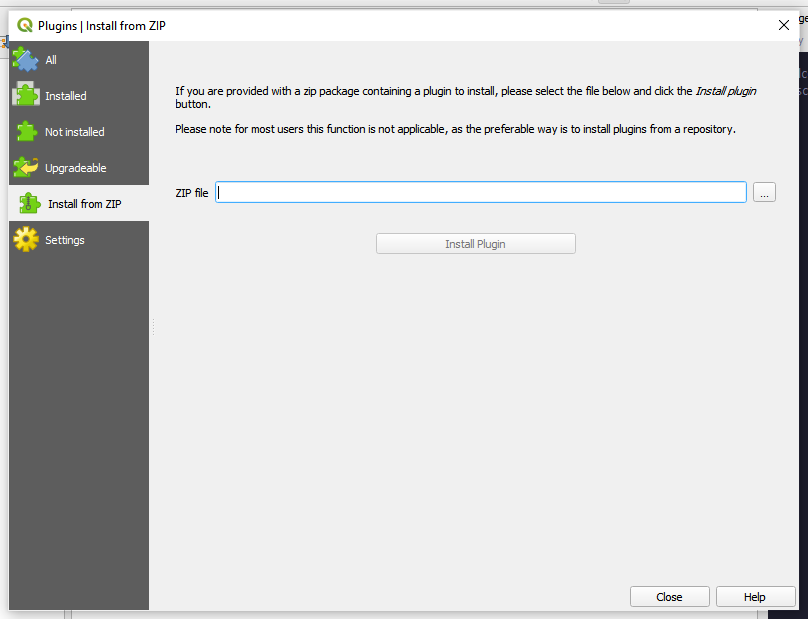
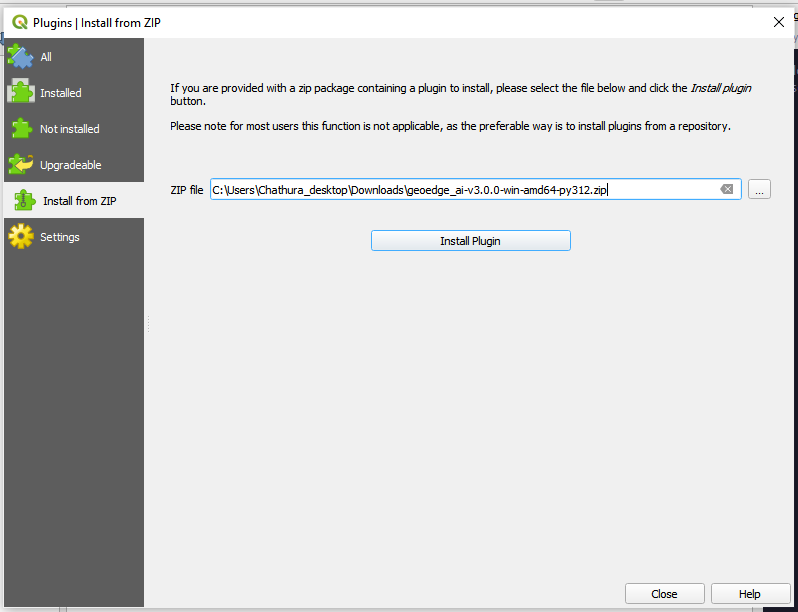
Click the … button, browse to the downloaded geoedge_ai.zip file, then click Install Plugin.
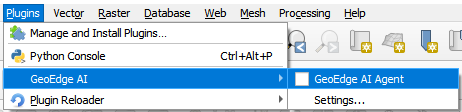
After installation, go to Plugins → GeoEdge AI → GeoEdge AI Agent to open the plugin.
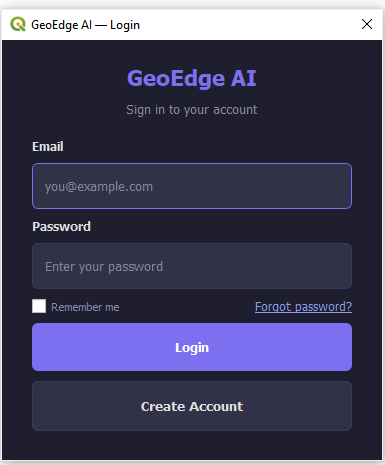
Enter your email and password to log in. If you don't have an account yet, click Create Account to register.
Email support@geoedge.com.au with a screenshot of where you got stuck and we'll get back to you within one business day.